

Clip Sweeper v2 is a native Mac app for cleaning up video project drives. Built by Leland Dutcher, the app helps editors find, review, and reclaim unused media from editing projects without relying on a general file browser. Let’s take a look!
According to Leland Dutcher, the person behind Clip Sweeper, the idea began as a Premiere project analysis tool that followed the reference chain through Premiere projects and cross-checked After Effects comps. With v2, the app expands beyond a file-list workflow, adding DaVinci Resolve CSV import, visual drive mapping, hover-scrub previews, and Protected Folders for shared media libraries.
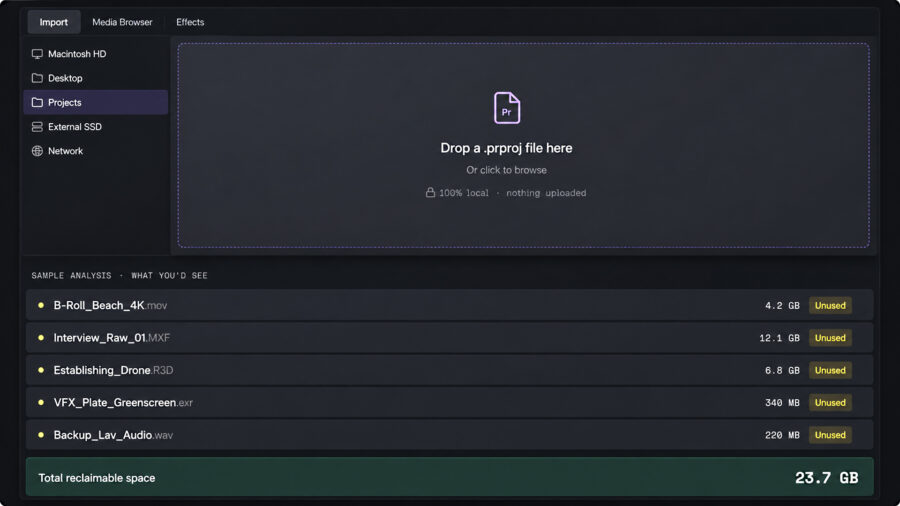
From file list to visual drive cleanup
Clip Sweeper v2 keeps the sortable Table view from the original version while adding two more visual ways to review unused media. The new Cards view shows clips as larger tiles, allowing users to hover-scrub through footage before staging it for cleanup.
The new Map view shows reclaimable media as a storage treemap, with tiles sized by the amount of space they take up on disk. This gives editors a quicker way to see which folders or projects take up the most space, rather than working only from a long list of filenames.
DaVinci Resolve CSV import
Clip Sweeper v2 also adds a workflow for DaVinci Resolve users. In Resolve, users can create a Smart Bin where Usage = 0, export the metadata CSV, and import that file into Clip Sweeper.
The app then uses the CSV to locate the corresponding media on disk and bring it into the same staged cleanup process. Clip Sweeper labels these files as DaVinci CSV rather than “Unused,” since Resolve is identifying them through its own metadata rather than Clip Sweeper’s Premiere-style project analysis.
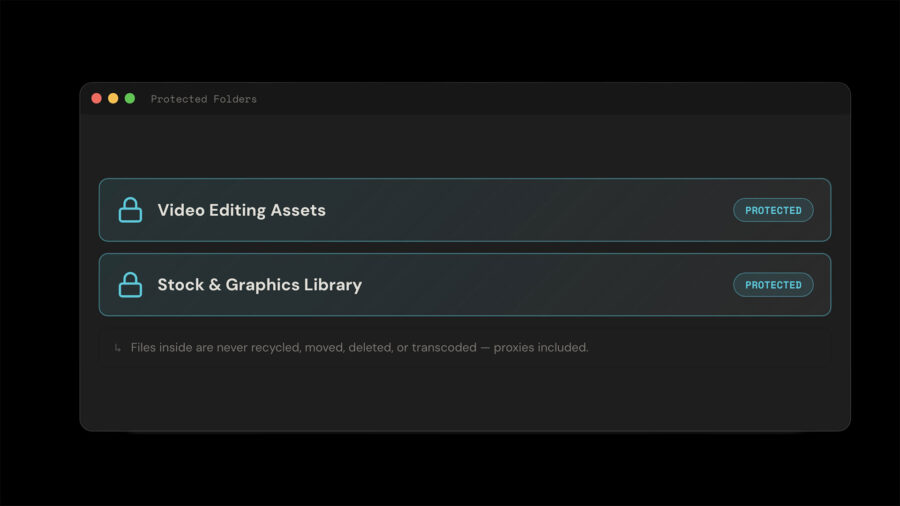
Protected Folders and safer cleanup
Another useful addition is Protected Folders. Editors can mark folders for stock footage, SFX, graphics, shared assets, or other reusable media, and Clip Sweeper will keep those folders off-limits during cleanup.
Files marked for removal are first placed in a virtual recycle bin, so nothing is moved or deleted immediately. From there, users can restore files, move them to the Trash, move originals to another folder, or delete them permanently. Protected Folders are checked before those actions are performed.
Format previews and larger drives
Clip Sweeper v2 also expands preview support for common production formats. According to the developer, the app can preview formats such as MXF, Sony XDCAM, R3D, ARRIRAW, BRAW, ProRes, DNG, and H.264/HEVC, with support through Apple’s Pro Video Formats or a built-in fallback decoder.
The update is also designed to better handle larger cleanup jobs, including hundreds of projects, network- or cloud-backed mounts, and thousands of offline assets. For editors working with drives that have accumulated media across multiple jobs, this may make the cleanup process less dependent on manually digging through folders.
Price and availability
Clip Sweeper v2 is available as a free Mac app through the App Store and requires macOS 14.0 or later. For more information, please visit the Clip Sweeper website.
How do you manage unused media? Would a visual cleanup tool like Clip Sweeper make you more comfortable reclaiming space from older project drives? Let us know in the comments.


0 Comments