

Beat is a free Mac app that combines story development, references, characters, locations, and shoot planning on one visual canvas. The app is built around a node-based workspace where users can organize the ideas behind a project, from story beats and visual references to the look of individual scenes. Let’s have a closer look at what it does.
Developed by filmmaker João Lutz, a particularly interesting feature is the Set Plan, an overhead workspace for preparing lighting and blocking diagrams before a shoot. The video below walks you through how it works:
Set Plan for lighting and blocking
Set Plan allows users to place cameras with a field of view based on focal length, add real light fixtures, and work with objects such as flags, bounce cards, walls, and windows at real-world scale. According to the app’s website, light can bounce, block, and diffuse through these objects within the plan.
Once built, the plan can be exported as an image and shared with the crew. This makes the feature less like a traditional writing tool and more like a visual planning space for blocking, lighting, and communicating the setup before arriving on set.
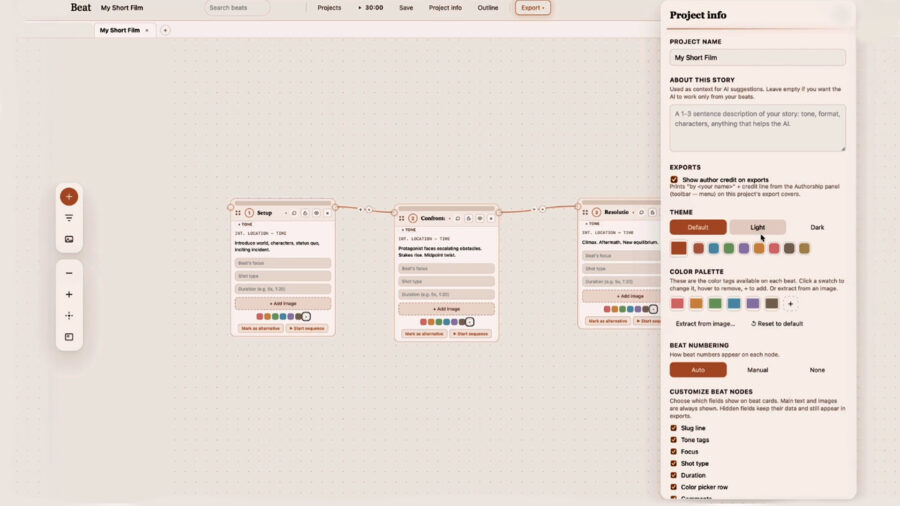
Story planning and production documents
Beat also includes tools for organizing story beats, characters, locations, references, and scene looks. Projects can be developed visually, with related ideas connected on the same canvas.
The app can also export a Fountain screenplay and PDF storyboards. According to the Beat website, the app is local-first, with projects stored as folders on the user’s Mac.
Optional Claude connection
Beat can connect to Claude through MCP, allowing an AI assistant to work with the project structure rather than pasted text. The connection is optional, and users can of course still use Beat as a visual planning and documentation tool without Claude.

Price and availability
Beat is available as a free download for Mac. João says he built the app for his own work, and in a space where many creative tools are subscription-based, it stands out as a filmmaker-built app offered for free with no account required. For more information and to download the app, please visit the Beat website.
Would you use an app like Beat for story development and shoot planning? How useful would an overhead Set Plan be for preparing lighting and blocking before a shoot? Let us know in the comments.


0 Comments